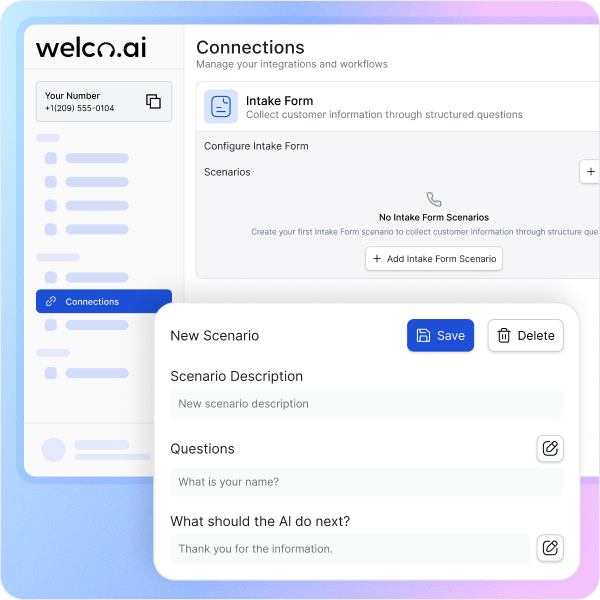
How Automated Intake Forms Work in 3 Steps
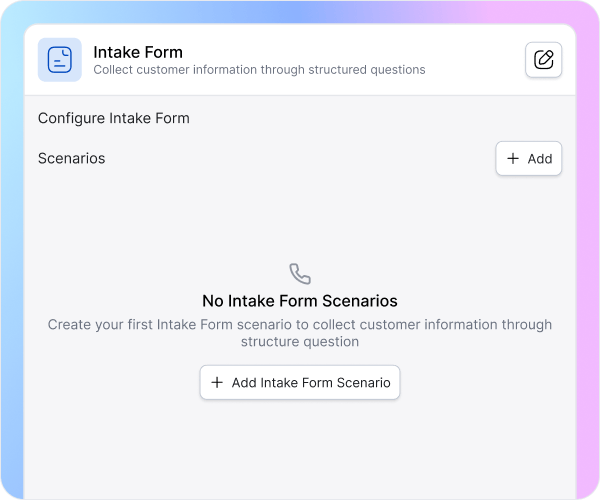
Welco asks intake questions naturally during conversations, validates responses immediately, and handles errors without caller frustration. Required fields get collected every time—no skipped questions, no incomplete submissions. Callers provide information conversationally while your system captures structured data automatically.
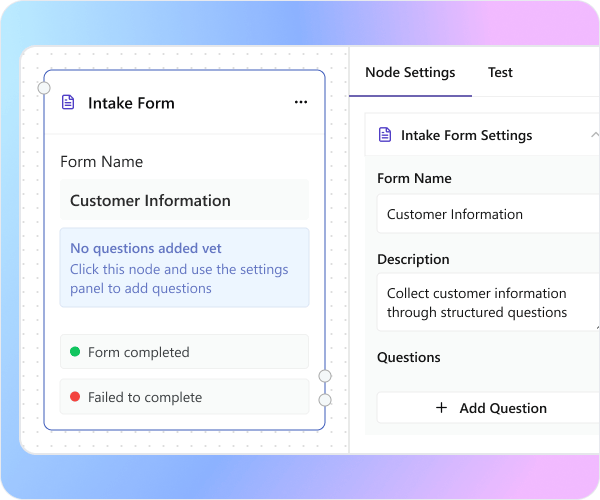
Welco asks intake questions naturally during conversations, validates responses immediately, and handles errors without caller frustration. Required fields get collected every time—no skipped questions, no incomplete submissions. Callers provide information conversationally while your system captures structured data automatically.
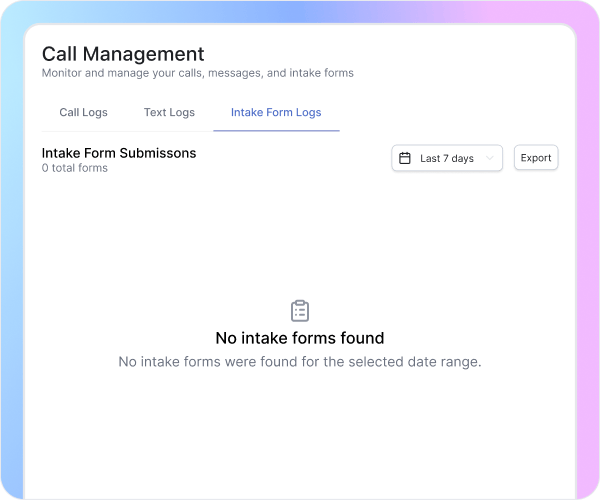
Every intake form appears in your Connections with full caller details, timestamps, and structured responses. Filter submissions by date, form type, or caller name—export everything as CSV for your CRM or project management system. Complete visibility into collected data without manual organization.
How Automated Intake Maximizes Every Business Opportunity

Complete Information on the First Call
Traditional receptionists often record only basic details like name and number, leaving teams without essential project context. Welco’s automated intake gathers full caller profiles during the first conversation—contact info, scope, budget, and key details—ensuring complete, structured data collection that eliminates time-wasting follow-ups for missing information.

Consistent Data Every Time
Manual note-taking causes inconsistent data—each receptionist might capture different details. Welco solves this by standardizing every intake form, required field, and submission format. Every team member—from schedulers to estimators—accesses the same structured, complete information, ensuring seamless collaboration and eliminating confusion caused by fragmented or incomplete notes.

Built-In Qualification While Collecting
Unqualified inquiries drain your team’s time and reduce efficiency. Welco’s intelligent intake qualifies callers automatically—checking service area, project scope, timeline, and budget in real time. This ensures only viable, high-quality leads reach your team, allowing everyone to focus on productive, revenue-generating opportunities instead of unfit or misaligned callers.
What Businesses Say About Intake Forms
“Our old process was a disaster. The receptionist wrote names and phone numbers on sticky notes. Half the time we’d call back and realize we had zero information about what the customer actually needed. Now Welco collects everything during the first call—contact info, property details, project scope, timeline, budget. Our estimators show up prepared instead of surprised. Our close rate jumped 32% just from having complete information upfront.”

Jennifer Wu
Estimating Manager Premier Remodeling Contractors
“We were losing qualified leads because our intake process took three days. Customer calls Monday, leaves contact info. We call back Tuesday, collect project details. We email a form Wednesday. Half of them hired someone else by then. Welco changed everything. It collects comprehensive intake information during the initial call—medical history, insurance details, treatment preferences, appointment availability. Our front desk schedules consultations immediately instead of playing phone tag for a week.”

Dr. Michael Torres
Practice Manager Torres Family Dentistry
“Before Welco, we’d book appointments without knowing what customers actually needed. They’d show up expecting AC repair, we’d arrive prepared for maintenance. Massive waste of technician time. Now our intake form captures equipment type, problem description, property age, system details during the booking call. Our service trucks carry the right parts, our technicians know the situation, our pricing is accurate. Service completion rate went from 60% first visit to 94%.”

Amanda Chen
Operations Director Comfort Climate Control
What Businesses Say About Intake Forms
“Welco answers every call — even when our gym's packed with members and trainers. Prospects no longer slip through the cracks, and I've seen a clear uptick in new memberships since we started. It handles inquiries, bookings, and even sends confirmations — all without distracting our front desk during rush hours. It's like having a full-time team member who's laser-focused on growth.”

Alex Smith
Owner, PulseFit Gym
“Before Welco, calls from subcontractors and new construction leads would fall through the cracks during busy overlaps. Now, everything's automatically logged, routed, and documented — no more missed info or scattered call notes. Each project manager gets the right calls in real time, and I can finally keep things moving without chasing updates or checking my voicemail constantly.”

Zain Brown
Project Manager, Apex Contractors
“Our salon runs smoother than ever since we started using Welco. Clients now get instant confirmations and timely reminders, so our schedule stays perfectly balanced throughout the day. Double-bookings have completely stopped, and even last-minute appointment changes are handled automatically. It honestly feels like we've hired an extra receptionist — one that never forgets a thing and works 24/7, without the extra cost.”

Michael Wilson
Salon Manager, Glow Beauty Studio
“We handle sensitive calls all day — new patients, follow-ups, and medical emergencies. Welco screens them perfectly, routing urgent cases directly to us while scheduling the rest automatically. My staff isn't buried in voicemails anymore, and our patients get a faster, more professional experience every time they call. It's taken pressure off the front desk and improved our care delivery.”

Andrew Harris
Clinic Director, CareWell Health
“In real estate, speed wins deals — every missed call used to mean a lost lead. Welco changed that completely. Every property inquiry is now captured instantly, logged into my CRM, and I get real-time alerts so I can follow up right away. I've already closed multiple listings just because I was able to respond fast — and that simply wasn't happening before.”

Mic Lewis
Real Estate Agent, Prime Realty
Welco Integrates Seamlessly with Your Business Tools
Export intake form data as CSV files for your CRM. Connect with Zapier to send submissions automatically to your project management system. Integrate with email workflows to notify your team instantly when high-value leads complete intake forms.
Industries That Need Automated Intake Forms

Education and Training Centers
Automated intake forms help collect student details, course interests, scheduling preferences, and payment or funding information in one structured flow. This reduces manual admin work, avoids back-and-forth emails, and ensures instructors receive accurate learner profiles before classes or consultations.

Electricians and Electrical Contractors
Electrical jobs require precise information for safety and compliance, such as panel type, circuit issues, property age, and urgency. Automated intake captures these details consistently, enabling accurate estimates, proper parts preparation, and fewer diagnostic visits while improving response times for urgent calls.

Roofing and Construction Companies
Roofing and construction intake often becomes messy when details are captured on scattered notes. Automated forms standardize collection of property type, roof or project size, damage description, photos, budget range, and timeline, so crews arrive prepared and estimators price jobs correctly on the first attempt.

Insurance Agencies and Agents
Insurance inquiries and claims demand detailed, structured data to move quickly. Automated intake captures policyholder data, coverage type, incident details, documentation needs, and preferred resolution channels, which reduces handling time, minimizes errors, and improves customer experience during stressful claim situations.

Landscapers and Lawn Care Businesses
Service needs vary from recurring maintenance to complex design projects. Automated intake forms gather property size, service type, frequency, access constraints, and budget, giving teams what they need to quote accurately, plan equipment, and schedule efficiently without repeated clarification calls.

Restaurants and Food Service Businesses
For catering, events, or group bookings, missing details can disrupt operations. Automated intake captures event date, headcount, menu preferences, dietary restrictions, service style, and billing information, allowing kitchens and front-of-house teams to plan precisely and deliver smoother guest experiences.
Want Zero Follow-Ups and Complete Caller Details?
Let Welco capture every required detail during the first call—accurate information, qualified leads, and no back-and-forth.
Frequently Asked Questions About Intake Forms
Do I need to change my existing business phone number to use Welco’s intake forms?
No. You can either purchase a new number inside Welco or import/forward your existing business line so Welco answers calls on your behalf. Your callers can keep dialing the same number while Welco handles intake and routing in the background.
