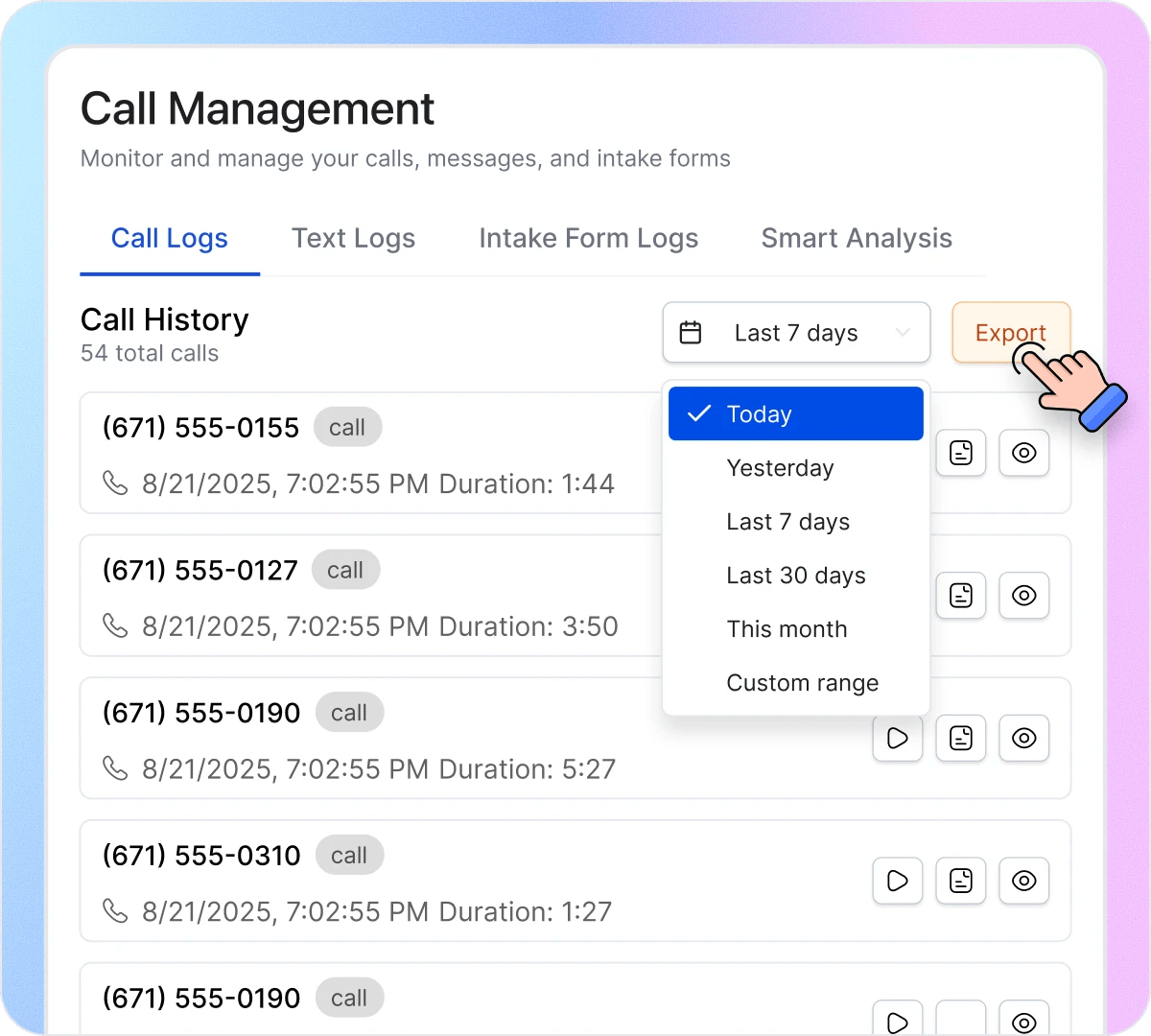
How Call Management Works in 3 Steps
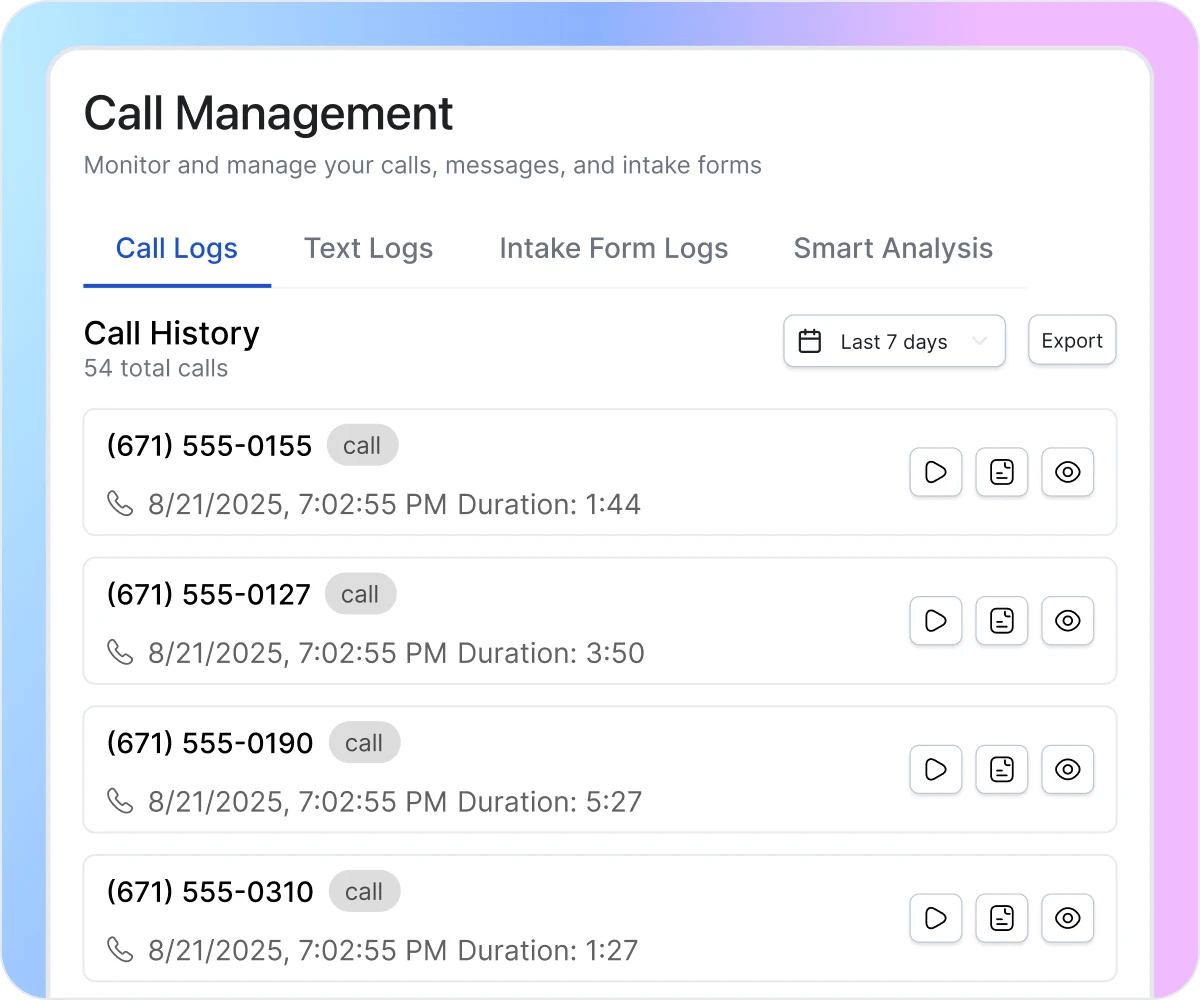
Navigate to Call Management from the main menu to see your complete communication center. Four tabs organize everything your AI receptionist handles: Call Logs for phone conversations, Text Logs for SMS messages, Intake Form Logs for collected customer information, and Smart Analysis for AI-powered insights. Every interaction is logged automatically with caller details, duration, and timestamps—no manual entry required.
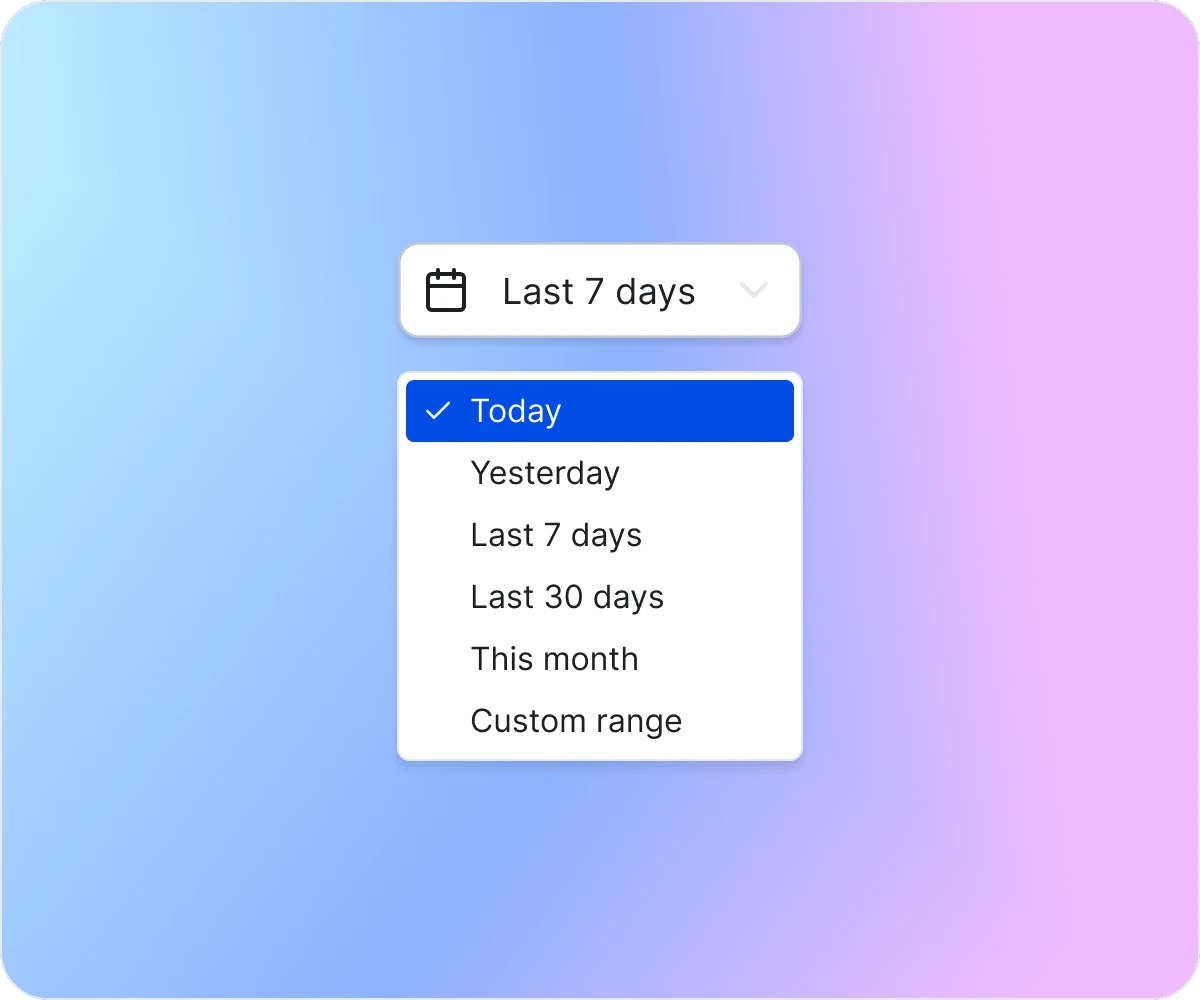
Use the date filter to find records from any time period. Select from preset options—Today, Yesterday, Last 7 days, Last 30 days, This month—or set a custom range for specific dates. Whether you need yesterday’s calls for a quick follow-up or last month’s intake forms for reporting, the right records are always just a click away.
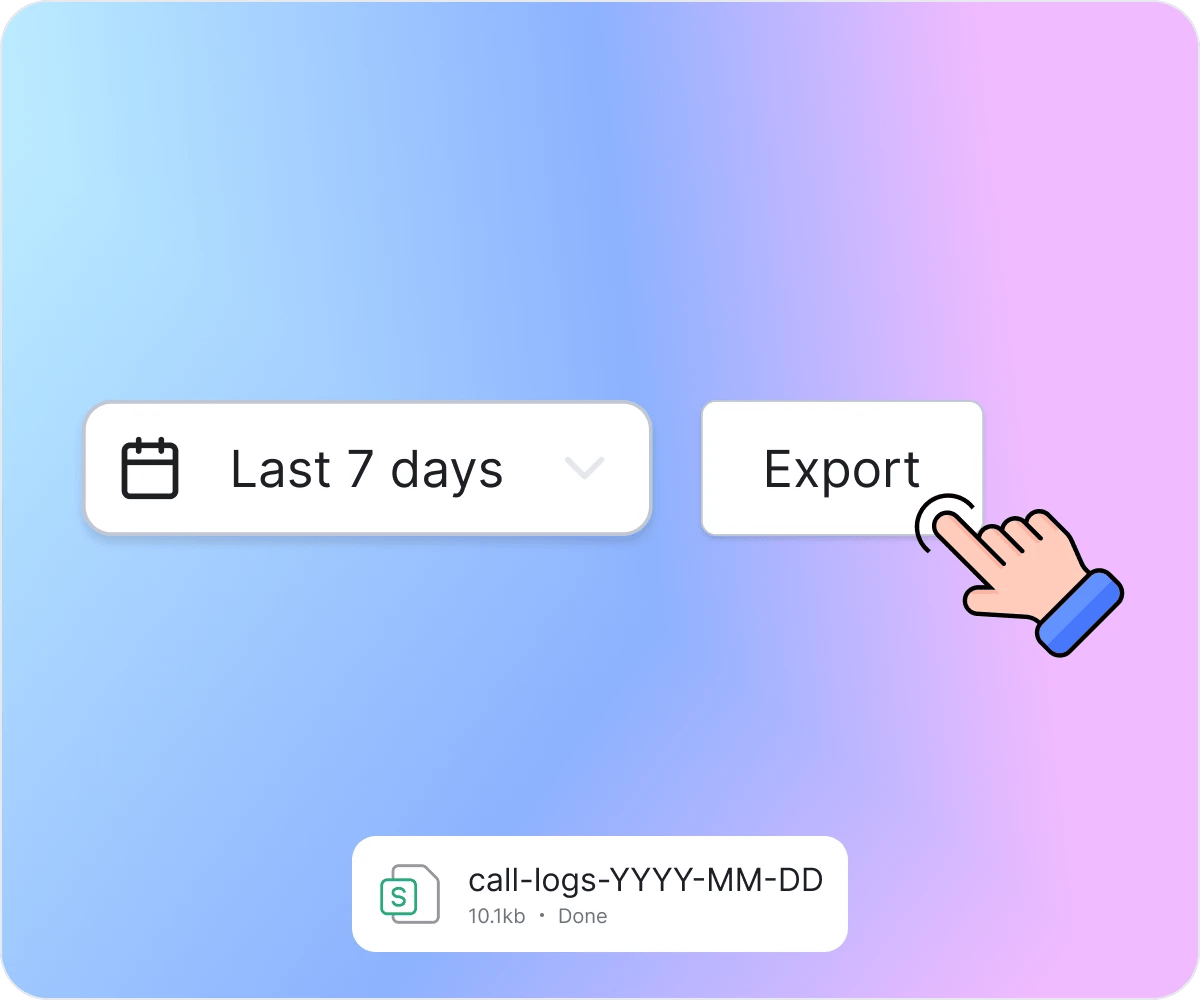
Download any log type with the Export button – call logs, text logs, or intake form submissions. Generate reports for your records, share summaries with your team, or analyze patterns across all communication channels. One-click exports give you portable data.
How Call Management Eliminates Information Gaps

Find Exact Conversation Details Instantly
Your receptionist takes a call, writes a quick note, and moves on.Days later, the customer calls back referencing pricing, timelines, or special requests discussed. Your team scrambles to piece together fragments from memory and incomplete notes. Welco stores the complete transcript of every call. When someone asks “what did they say about the budget?” you pull up the exact conversation in seconds instead of guessing.

Stop Losing Context Between Team Members
Customer calls Monday, speaks with your receptionist about a complex issue. They call back Thursday, reach someone different, and have to explain everything again. Your staff looks unprepared, the customer gets frustrated, and resolution takes twice as long. Welco gives your entire team access to complete call history—anyone can review previous conversations, understand context, and continue exactly where the last interaction left off. Customers feel heard instead of repeating themselves.

Transform Phone Calls Into Business Intelligence
Customer calls contain patterns you’re missing—common complaints, frequent questions, pricing objections, and service gaps. But verbal conversations don’t aggregate into insights; each call exists in isolation until forgotten. Welco’s AI analysis surfaces trends across all your calls. See which topics generate inquiries, track sentiment over time, identify training opportunities, and make data-driven decisions based on actual customer conversations instead of assumptions.
What Businesses Say About Our Call Management Feature
“We handle 200+ calls daily across three locations. Before Welco, resolving customer disputes meant "he said, she said" between staff and callers. Now I pull up the exact transcript and we know precisely what was discussed. We’ve resolved complaints 60% faster, and having recordings has actually reduced frivolous disputes—customers know we have records. It’s transformed how we handle escalations.”

Michael Torres
Operations Director, Precision Auto Group
“Our attorneys bill by the hour, and client intake calls often include critical case details we’d reference months later during litigation. Staff notes were inconsistent—sometimes thorough, sometimes one sentence. Welco transcribes everything with timestamps. When preparing for depositions, we search transcripts for specific statements clients made during initial consultations. It’s become essential documentation for case preparation.”

Jennifer Walsh
Office Manager Morrison & Associates Law Firm
“Insurance claims require detailed documentation of what customers reported and when. We used to have adjusters take notes during calls, then type summaries afterward—details got lost, timestamps were approximated, and we’d occasionally face disputes about what was actually said. Welco gives us verbatim records with exact timestamps. Our claims documentation is bulletproof now, and compliance audits take half the time.”

Robert Chen
Claims Manager Pacific Coast Insurance Agency
Welco Integrates Seamlessly with Your Business Tools
Connect call data with your CRM to automatically log customer interactions. Export transcripts to your documentation system for compliance records. Sync with your project management tools to create tasks from AI-detected action items. Pull analytics into your business intelligence platform for comprehensive reporting.
Industries That Need Complete Call Management

Personal Injury Law Firms
Client intake calls contain case-critical details that become evidence during litigation. Access complete call history with timestamps, search transcripts for specific statements clients made months ago, filter calls by case type or date range, and export records attorneys need for depositions. When preparing for litigation, pull up exact conversations instead of relying on incomplete notes.

Insurance Agencies
Claims reporting requires accurate documentation you can access instantly. Filter calls by date to review what customers reported during initial claims, search past conversations when disputes arise, and export verbatim call records with timestamps for compliance audits. Track sentiment across calls to identify frustrated customers before escalation, and maintain detailed records that regulators expect.

Medical&Dental Practices
Patient-reported symptoms and health concerns need to be accessible before appointments. Search call history for specific symptoms discussed, filter by patient or date range to review past conversations, and give clinical staff access to complete communication records supporting care continuity. Export call data for patient files and ensure nothing reported by phone gets lost.

Financial Services
Project details discussed during booking calls need to reach your field technicians. Access complete call history showing exactly what customers described, filter calls by service type or date to prioritize jobs, and export call data so dispatchers and technicians have accurate information. Search past conversations to resolve billing disputes with actual conversation records instead of handwritten notes.

Veterinary Clinics
Owner-reported symptoms and medication questions inform treatment decisions. Search call history for specific symptoms when owners can’t remember what they said, filter calls by pet or date range to track recurring concerns, and give clinical staff access to complete communication records. Export call data for patient files and ensure your team has answers when owners ask “what did the doctor recommend?”

Home Service Contractors
Project details discussed during booking calls need to reach your field technicians. Access complete call history showing exactly what customers described, filter calls by service type or date to prioritize jobs, and export call data so dispatchers and technicians have accurate information. Search past conversations to resolve billing disputes with actual conversation records instead of handwritten notes.
Your Calls Contain Information You’re Currently Losing
Stop letting customer conversations disappear after hangup. Welco’s call management turns every phone interaction into analyzable business records—complete transcripts, AI insights, and documentation your entire team can access.
FAQ About Call Management
How do I find calls from a specific time period in Welco?
Use the date filter to view calls from Today, Yesterday, Last 7 days, Last 30 days, This month, or set a custom range for specific dates. Whether you need this week’s customer calls or records from a particular period, Welco puts the right conversations a click away.
